 Skip to content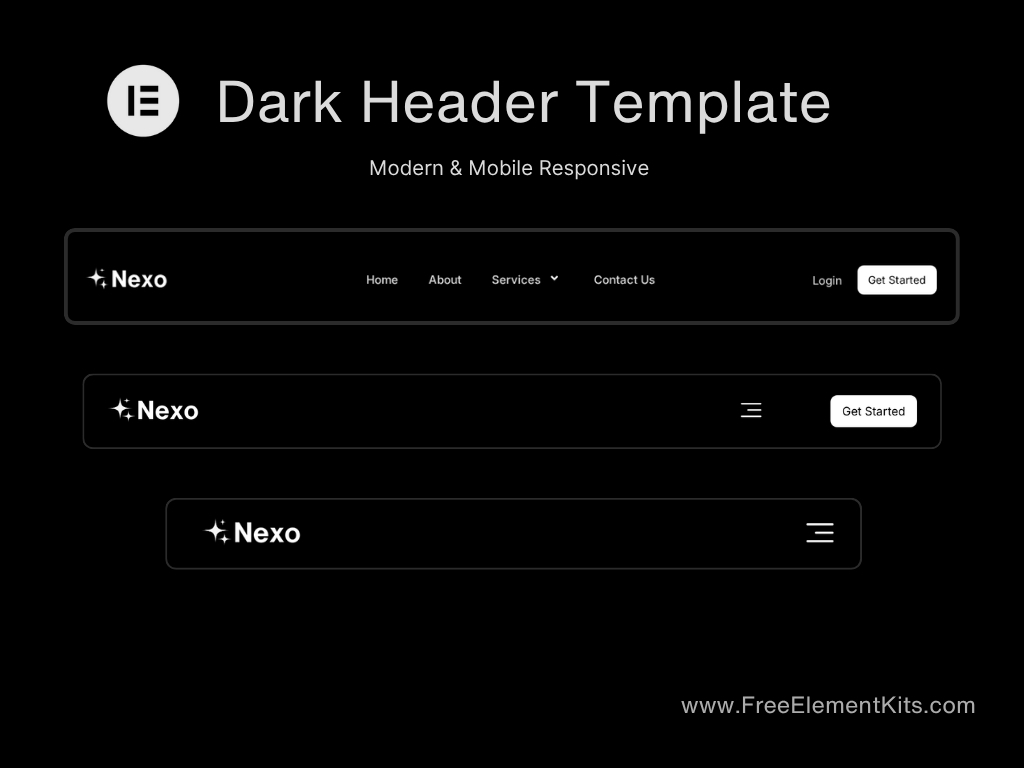
Elementor Dark Header Template for WordPress – Features & Overview
This free dark header template is built specifically for WordPress + Elementor users who want a modern, clean, and minimal design. Whether you’re creating a portfolio, business site, or blog, this header adds a stylish touch to your layout. It’s fully responsive and easy to customize — no coding required.
Installation Guide – How to Use This Header Template
1. Get the Template
Click the “Get the Template” button on this page to get the free header template.
2. Install the Required Plugin
Open your WordPress dashboard, go to Plugins > Add New, and install the free plugin called Ultimate Addons For Elementor Plugin is Required
⚠️ This step is required because the Elementor free version doesn’t support header menus, and this template uses the navigation widget from Essential Addons.
3. Import the Template into Elementor
Go to any page and click Edit with Elementor.
On the Elementor editor screen, click the folder icon at the top.
Choose the “Import Template” option and upload the .json file .
Once uploaded, insert it into your page.
4. Customize as Needed
You can now edit the logo, menu links, colors, and layout to match your site’s branding. The header is fully responsive and will work on all screen sizes.